Blogs
Microsoft Fabric: Expert Guidance for a Successful Evaluation
Azure Web Application Firewall (WAF) on Azure Front Door provides centralized protection for your web applications. WAF defends your web services against common exploits and vulnerabilities. It keeps your service highly available for your users and helps you meet compliance requirements.
In this blog, we will highlight two use case scenarios for Azure Front Door to secure any backend such as APIs, Web Apps, Azure functions, OR Logic Apps.
Securing a backend with Virtual Network needs a premium tier subscription hence It is more expensive in terms of cost and, Azure front Door needs an Azure Application Gateway behind the Azure Front Door since it needs a public endpoint.
The alternative to the first case is that securing backend is without need of a VNET integration for customers who do not want to go with Azure premium subscription, this way there is cost benefit. This blog covers the second scenario where there is no need to go for VNET integration which requires premium tier.
Resources needed:
1. Azure Front Door: Azure Front Door is a global, scalable entry-point that uses the Microsoft global edge network to create fast, secure, and widely scalable web applications. With Front Door, you can transform your global consumer and enterprise applications into robust, high-performing personalized modern applications with contents that reach a global audience through Azure. Front Door works at Layer 7 (HTTP/HTTPS layer) using any cast protocol with split TCP and Microsoft’s global network to improve global connectivity. Based on your routing method you can ensure that Front Door will route your client requests to the fastest and most available application backend. An application backend is any Internet-facing service hosted inside or outside of Azure. Front Door provides a range of traffic routing methods and backend health monitoring options to suit different application needs and automatic failover scenarios. Similar to Traffic Manager, Front Door is resilient to failures, including failures to an entire Azure region.
2. WAF with Azure Front Door: Azure Web Application Firewall (WAF) on Azure Front Door provides centralized protection for your web applications. WAF defends your web services against common exploits and vulnerabilities. It keeps your service highly available for your users and helps you meet compliance requirements. WAF on Front Door is a global and centralized solution. It’s deployed on Azure network edge locations around the globe. WAF enabled web applications inspect every incoming request delivered by Front Door at the network edge. WAF prevents malicious attacks close to the attack sources, before they enter your virtual network. You get global protection at scale without sacrificing performance. A WAF policy easily links to any Front Door profile in your subscription. New rules can be deployed within minutes, so you can respond quickly to changing threat patterns.
3. Azure API Management: API Management (APIM) is a way to create consistent and modern API gateways for existing back-end services. API Management helps organizations publish APIs to external, partner, and internal developers to unlock the potential of their data and services. Businesses everywhere are looking to extend their operations as a digital platform, creating new channels, finding new customers and driving deeper engagement with existing ones. API Management provides the core competencies to ensure a successful API program through developer engagement, business insights, analytics, security, and protection. You can use Azure API Management to take any backend and launch a full-fledged API program based on it.
4. Azure APP Gateway (Optional): Azure Application Gateway is a web traffic load balancer that enables you to manage traffic to your web applications. Traditional load balancers operate at the transport layer (OSI layer 4 – TCP and UDP) and route traffic based on source IP address and port, to a destination IP address and port. Application Gateway can make routing decisions based on additional attributes of an HTTP request, for example URI path or host headers. For example, you can route traffic based on the incoming URL. So if /images is in the incoming URL, you can route traffic to a specific set of servers (known as a pool) configured for images. If /video is in the URL, that traffic is routed to another pool that’s optimized for videos.It is not necessary to have an Azure App Gateway behind Azure Front Door when the backend is not deployed in VNET, otherwise, you must have an App Gateway behind the Front Door when your backend resources are deployed within a Virtual Network.
a) Create an Azure Front Door resource
b) Configure Front Door to application backend to any internet-facing service hosted inside or outside of Azure
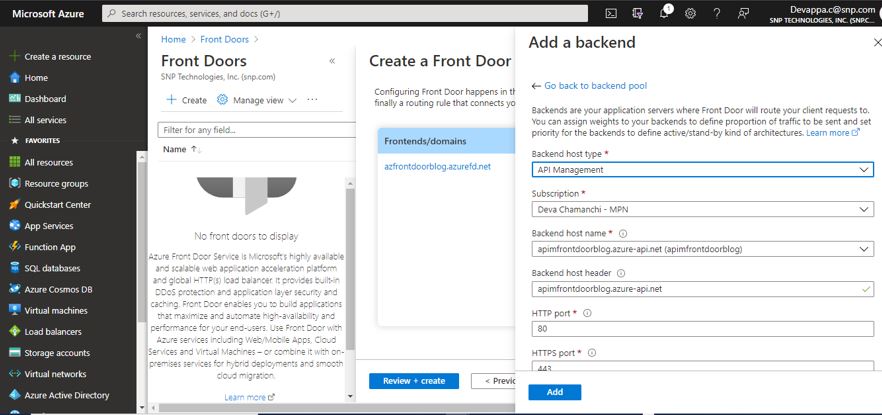
c) Front Door provides different routing, backend health monitoring options and automatic failover scenarios
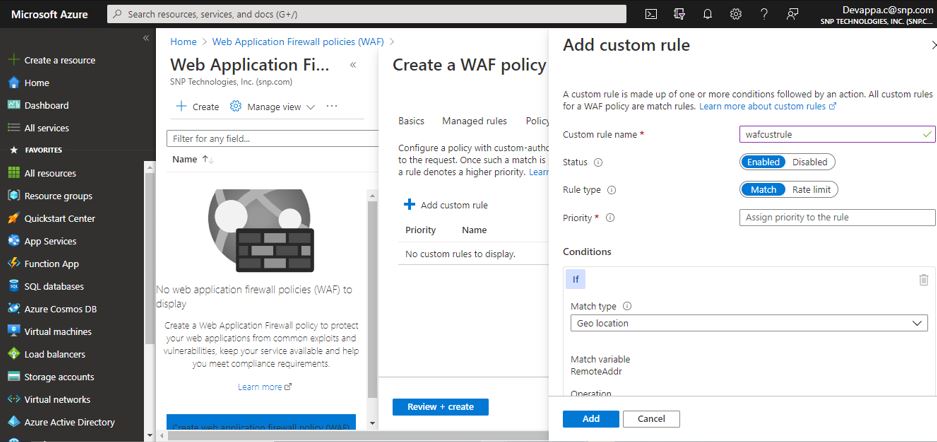
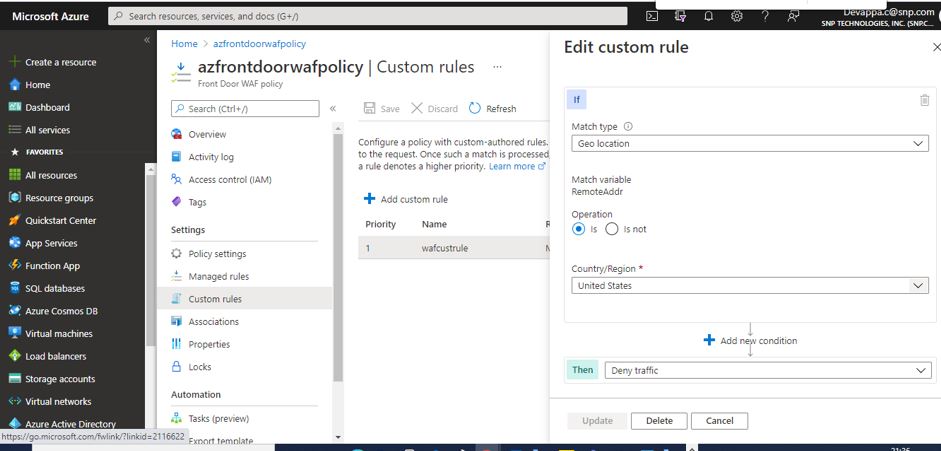
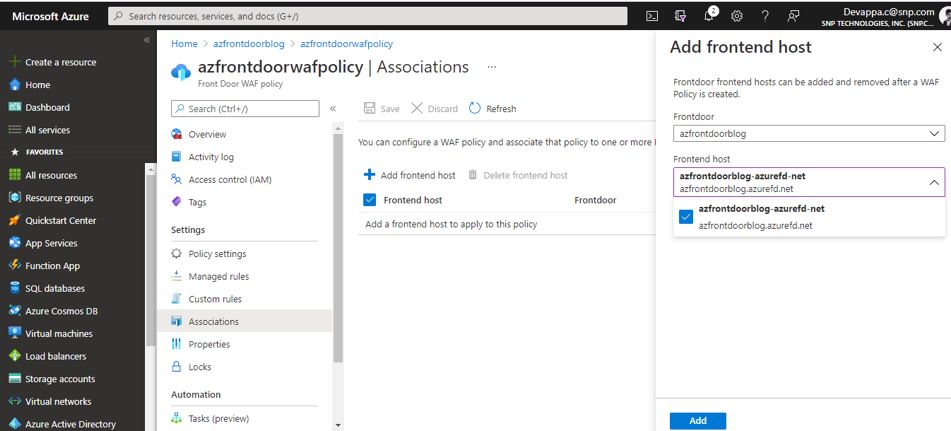
Managed rule sets are built and managed by Microsoft that helps protect you against a class of threats- Default rule set or Bot protection rule set.
API Management (APIM) is a way to create consistent and modern API gateways for existing back-end services. API Management helps organizations publish APIs to external, partner, and internal developers to unlock the potential of their data and services. Businesses everywhere are looking to extend their operations as a digital platform, creating new channels, finding new customers and driving deeper engagement with existing ones. API Management provides the core competencies to ensure a successful API program through developer engagement, business insights, analytics, security, and protection. You can use Azure API Management to take any backend and launch a full-fledged API program based on it.
To lock down your application to accept traffic only from your specific Front Door, you will need to set up IP ACLs for your backend and then restrict the traffic on your backend to the specific value of the header ‘X-Azure-FDID’ sent by Front Door.
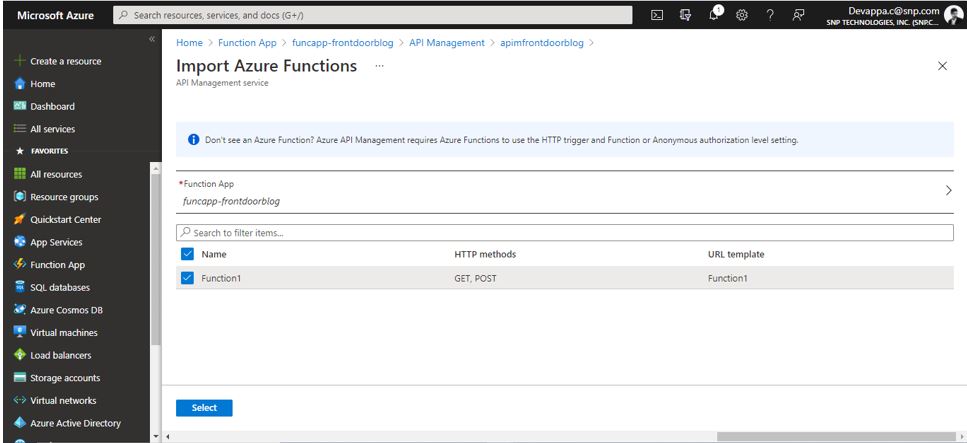
Azure functions, App Service API apps, Open API specification APIs and Logic apps can be imported to Azure API management and will be exposed to external consumers or client apps. These APIs can be grouped together into Products and policies can be applied at Individual API/Function or at the Product level.
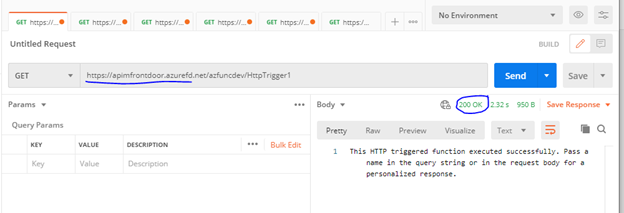
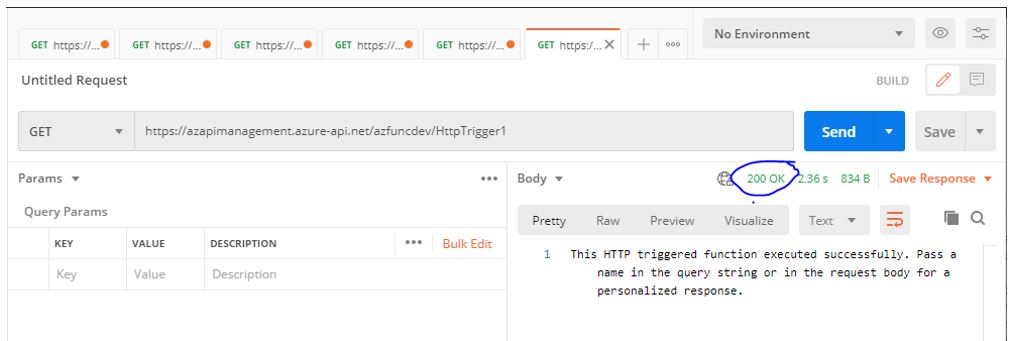
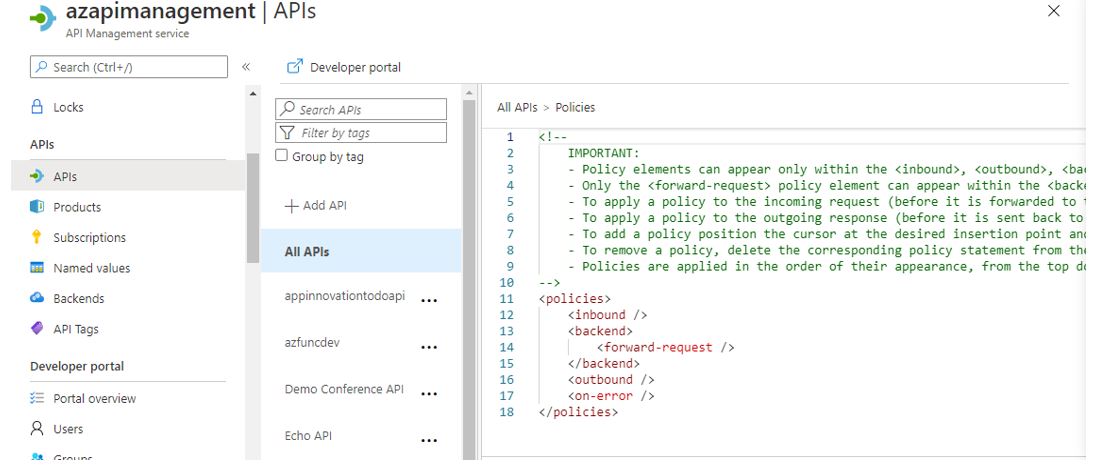 The below screenshot show that, when there is no check for Azure Front Door ID in the inbound policy, we are able to make API call without any issues from Postman (200 OK).
 2 .API Management is secured with Azure Front Door
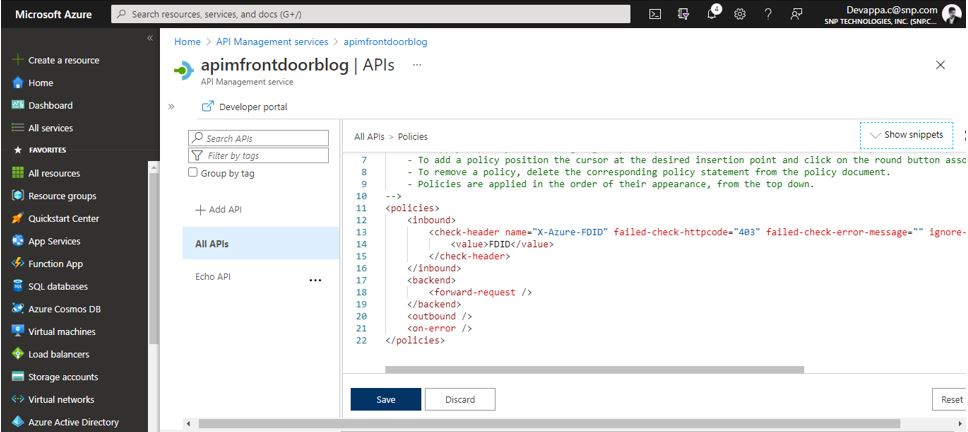
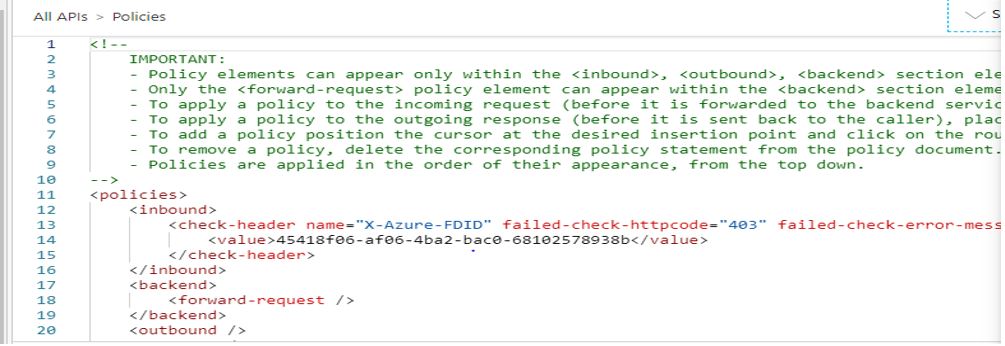
In this case the APIM APIs are secured by placing an Azure Front Door and all traffic should go through Front Door, we have configured this by using an inbound policy where we are allowing traffic via a specific Front Door ID that we created in this subscription.
Checking for a specific Front Door ID in APIM inbound policy section, by enabling “check-header” policy with Front Door ID.
2 .API Management is secured with Azure Front Door
In this case the APIM APIs are secured by placing an Azure Front Door and all traffic should go through Front Door, we have configured this by using an inbound policy where we are allowing traffic via a specific Front Door ID that we created in this subscription.
Checking for a specific Front Door ID in APIM inbound policy section, by enabling “check-header” policy with Front Door ID.
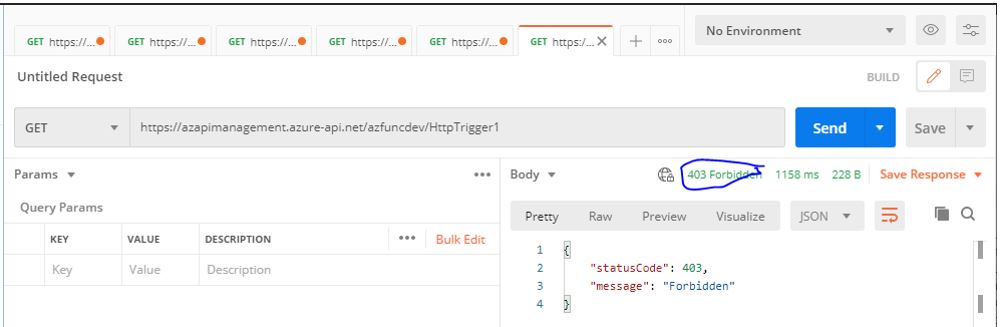
 403 Forbidden ERROR, when try to make a call with APIM API url which mean by passing Front Door
 200 OK, when calling via Front Door URI